Card Application Process
Updated: 10 hours ago
Card Issuance Fees
PayFun offers two card types: Virtual Card and Physical Card, each with different issuance fees:
Virtual Card: 5 USDT
Physical Card: 100 USDT
Notes:
Please complete identity verification before applying and ensure sufficient account balance to cover the issuance fee.
For top-up instructions, please refer to the Deposit Guide.
For differences between card types, please refer to Card Types.
Before Application
Complete Required Setup
Open the PayFun App, go to the Cards section, and select Virtual Card/Physical Card. Complete KYC verification, Google Authenticator setup, and payment password setup if prompted.


Complete KYC verification
Please refer to KYC Verification.
Set Up Google Authenticator
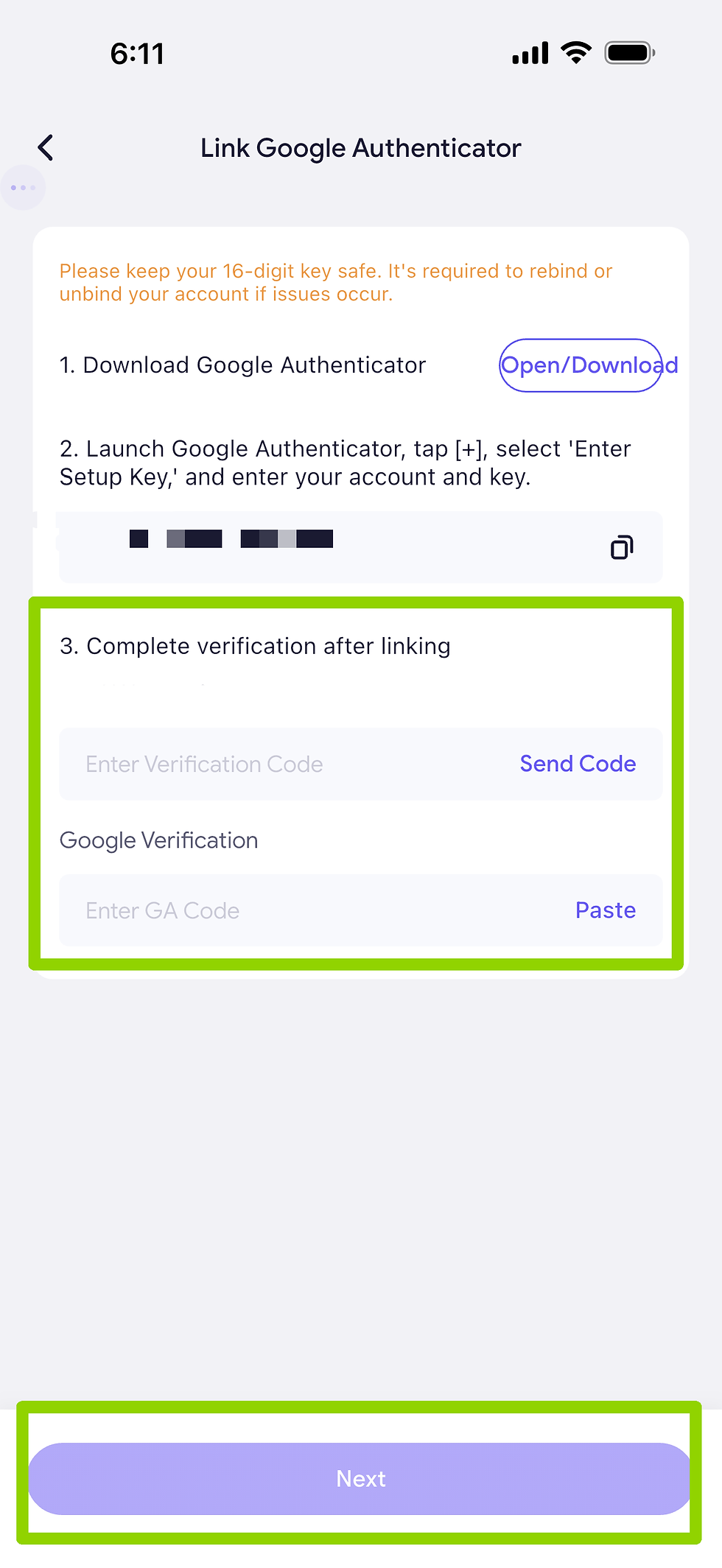
Tap Google Verification – Set Up. Download or open Google Authenticator and enter the 16-digit key shown on the screen.
Tap Send Code, enter the email verification code, then input the 6-digit code from Google Authenticator and tap Next.

Set Payment Password
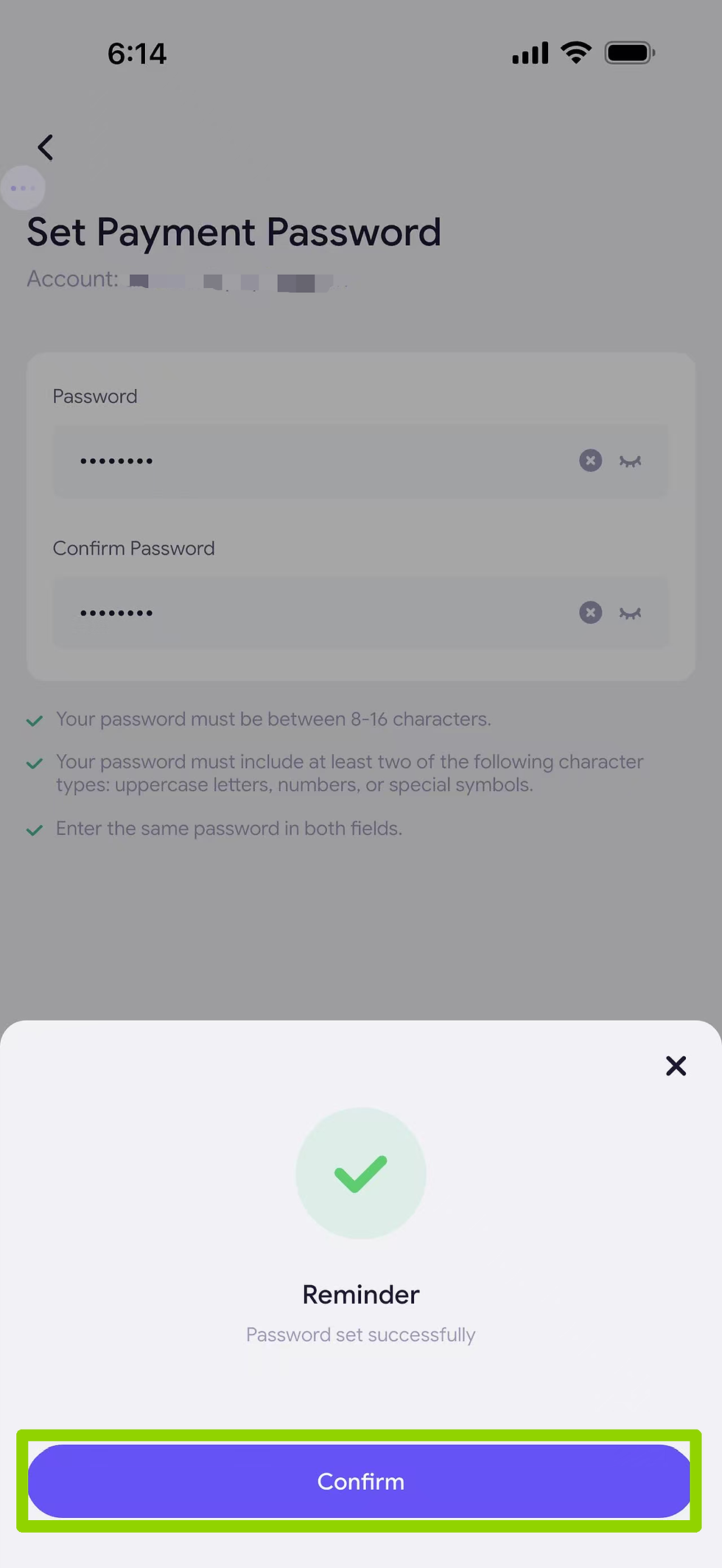
After Google verification, return to the setup page and tap Payment Password – Set Up. Enter and confirm your payment password.


Complete Security Verification
Tap Confirm, enter the Google Authenticator code, and complete security verification. Once successful, tap Confirm.

How to Apply for a Virtual Card?
Pay Issuance Fee
Go to the Apply Card page, select Virtual Card, and tap Apply for a Card - 1 USDT. Check the required fee and available balance. If sufficient, tap Confirm Payment.


Review and Activation
After submission, the application will enter Under Review status. Once verified, the card will be activated, usually within 1 hour.

Manage Virtual Card
After activation, go to the Cards page to view your virtual card. You can manage limits, freeze/unfreeze, view details, set a nickname, or bind to Apple Pay / Google Pay.

How to Apply for a Physical Card?
Pay Issuance Fee
Open the PayFun App, go to the Cards section, and select Physical Card. Complete required setup if prompted (KYC, Google Authenticator, and payment password). Tap Apply for a Card - USD 100. Review card type and fee details, then Confirm Payment.


Submission Review
After confirm card details, the application will be reviewed. Once approved, the card will be activated (typically within ~1 hour, up to 24 hours in some cases).


Card Delivery
The physical card will be shipped to your registered address. After receiving it, activate the card in the App and set your PIN before use.

Comments